Find legitimate ways to earn extra money
We research, verify, and explain real extra-income opportunities — so you can skip the scams and the hype.

International Calls
Call Internationally
Call the World, Anytime, Anywhere
Call anywhere in the world with this app — buy credit by card or Apple Pay; their side needs no internet, just a phone.
Now open — live rates inside.
⚠ Scam of the week — checked 2026-11-12
The task scam — small "jobs" that ask YOU to pay
It starts friendly: easy online tasks — liking videos, rating products, tapping buttons — with a little balance that seems to grow. Then comes the hook: to unlock bigger tasks or withdraw your "earnings," you must deposit your own money first. That deposit is the whole point. The balance is fake, the job is fake, and the money you send is gone. The U.S. Federal Trade Commission warns about this exact pattern in its consumer guidance on job scams, and reports of it have surged.
- Any "job" that asks you to deposit money to earn money
- Earnings shown as a balance inside a chat app or an unknown website
- Recruiters who only talk through WhatsApp or Telegram
- Pressure to top up quickly before a task "expires"
A real job pays you. The moment a job asks you to pay, it is not a job — it is the trap.
Source: U.S. Federal Trade Commission (FTC) — consumer guidance on job scams and task scams
How it works
1. We discover
We research candidate opportunities — platforms, programs, and gigs people actually use.
2. We verify
Every listing is checked against the provider's official pages: pay, eligibility, costs, and red flags.
3. You decide
Read a plain-language breakdown with realistic expectations — no income promises, ever.
Featured opportunities
Appen (CrowdGen)
Appen's contributor platform offering AI data projects — search evaluation, annotation, transcription, and model training tasks — with per-project qualification.
activeVerified
DataAnnotation
AI training platform paying contributors to write responses, evaluate AI outputs, and contribute domain expertise; tiered qualification starts with an assessment.
activeVerified
Amazon KDP
Amazon's free self-publishing platform for ebooks, paperbacks, and hardcovers sold on Amazon; authors set their price and earn royalties per sale.
activeVerified
Toolkits that save you money

Travel toolkit
Live flight searches, eSIM data, airport transfers, insurance, and tours — everything a trip needs, with honest affiliate disclosure.

Checked deals
DealVerdict deals with tracked price history — a deal only publishes when the price drop is real, not a fake "was" price.

Free tools
Free tools that help you earn: photo editing, background removal, mockups, free books and textbooks, and safety checks for freelancers.

Free calculators
Turn an hourly rate into a salary, plan a side-income tax set-aside, or work out a savings goal — right in your browser, nothing stored.

Guides
Plain-language guides that make the site pay off — from finding the cheapest flight from Philadelphia to Algiers to getting free products to test.
Forgotten Money Finder
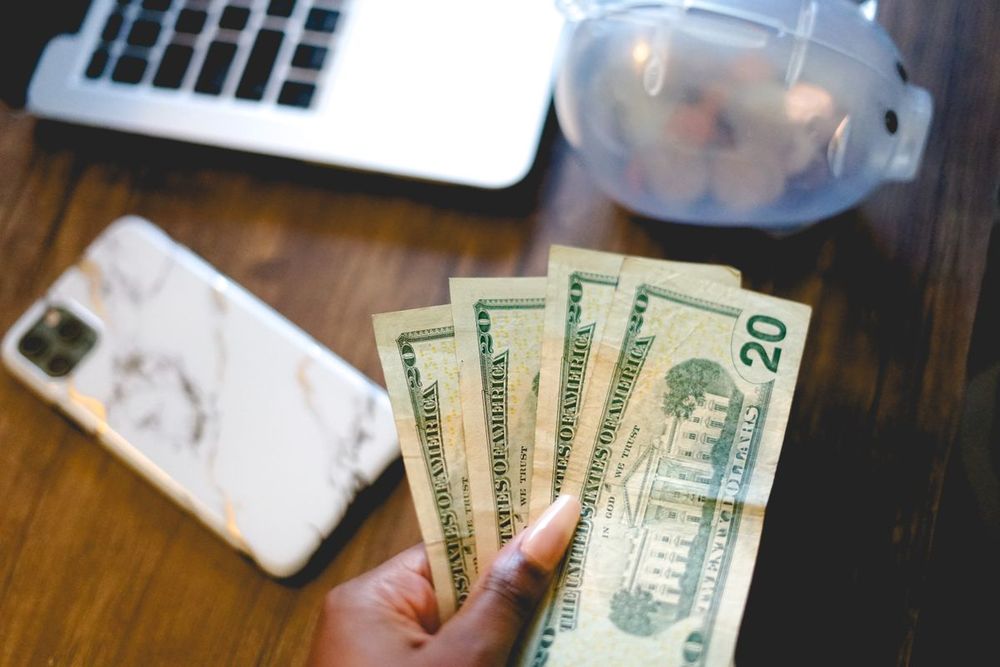
Unclaimed property, undelivered refunds, matured savings bonds, unclaimed pensions — a guided walk through every official search. All free, all on government sites; we collect nothing.
Steady Rules
Write five short investing rules while you're calm, log your contributions and streak, and read your own rules back when the market drops. Everything stays in your browser — educational tool, not financial advice.

Scam check
An offer reached you first? Run it through 10 scam patterns — pay-to-unlock fees, cheque forwarding, guaranteed income — in about a minute, right in your browser.

Speak Clear at Work — free English course
Free English speaking practice for work: one sound per lesson, a quiz after every lesson, and a progress tracker that shows your improvement — no account, free.
Our own services

We co-host your Airbnb
You own the home — we run the listing: guest messages, pricing, calendar and cleaner coordination, while you keep your own Airbnb account and payouts.
Take the Radar with you — the free app
Put ExtraCash Radar on your home screen. It opens like a real app, works fast, and costs nothing — no app store, no account, no download fees. Your tools, deals and flight help, one tap away.
How to add it (free, 30 seconds)
iPhone:
- Tap the Share button in Safari.
- Tap Add to Home Screen.
- Tap Add — the Radar icon lands on your home screen.
Android / Chrome:
- Tap the ⋮ menu in Chrome.
- Tap Install app (or “Add to Home screen”).
- Tap Install — done.
Why trust the Radar
Verified, not vouched-for
Every listing shows its last-verified date and the official sources we checked.
No paid placements
No provider can pay to be listed or ranked. Ever.
No income promises
We report what providers actually state and mark honest uncertainty as "varies."
1% of commissions from this site buy verified carbon offsets. See Our Promise.
The person behind the Radar
Boussad Charchour — founder, ExtraCash Radar
ExtraCash Radar is researched and published by a real person, not a content farm. Boussad is a Philadelphia-based creator — he also runsLittle Bit Better Daily — who checks every listing here against the provider's own official pages before it publishes.
The rules never change: listings are verified, no provider can pay for a placement or a ranking, and this site makes no income promises.More about the Radar →